AirPods as a Hearing Aid (2026): How Apple's Free Feature Works
In September 2024, the FDA authorized Apple’s Hearing Aid feature as the first over-the-counter hearing aid software in the United States. Two years and one AirPods Pro generation later, the feature is available in over 180 countries, ships free with iOS, and works on any AirPods Pro 2 or AirPods Pro 3 you already own.
This guide covers everything you need to know before you set it up: compatibility, the 5-minute hearing test, what the amplification actually does, where it fits between drugstore amplifiers and prescription aids, and the specific situations it wasn’t designed for.
What Apple’s AirPods Hearing Aid feature actually is
It’s a software feature inside iOS that takes the results of a 5-minute in-ear hearing test and tunes your AirPods Pro to amplify the frequencies your ears struggle with. Apple calls it “Hearing Aid.” The FDA classifies it as an OTC hearing aid, indicated for adults 18 and over with perceived mild to moderate hearing loss.
Once turned on, it does four things at once:
- Amplifies environmental sound through the AirPods’ external microphones, boosted at the frequencies your hearing test flagged.
- Applies Media Assist, which shifts music, video, and phone-call audio to match the same profile.
- Runs Conversation Boost, which uses beamforming to focus on whoever’s talking in front of you.
- Adjusts Own Voice Amplification, so your own voice doesn’t sound uncomfortably loud when the ambient boost is on.
The feature is free. You already own it if you own AirPods Pro 2 or Pro 3 and an iPhone new enough to run iOS 18.1.
Which AirPods work
Only three Apple earbud models qualify:
| AirPods Model | Hearing Aid Feature | Notes |
|---|---|---|
| AirPods Pro 2 | ✅ Yes | Lightning and USB-C variants both supported |
| AirPods Pro 3 | ✅ Yes | Improved low-frequency amplification via updated H2 chip |
| AirPods 4 with ANC | ⚠️ Hearing Test yes, Hearing Aid no | Can take the test but can’t act as an aid |
| AirPods 4 (non-ANC) | ❌ No | No sealing tip, no clinical accuracy |
| AirPods (2nd, 3rd gen) | ❌ No | Older H1 chip, no in-ear seal |
| AirPods Max | ❌ No | Not certified for hearing aid use |
| Powerbeats Pro, Beats Fit Pro, Beats Studio Pro | ❌ No | Beats hardware is not FDA-cleared for this feature |
The reason the older AirPods don’t qualify is physical, not software. Open-ear buds without a silicone tip can’t seal enough sound out for a calibrated hearing profile to matter. The H2 chip’s low-latency processing and the in-ear microphone array are also part of the FDA submission, so Apple can’t retroactively enable this on older hardware.
Which iPhones work
Any iPhone that can run iOS 18.1 or newer supports the Hearing Aid feature. That means:
- iPhone SE (2nd gen and 3rd gen)
- iPhone XS, XR, and every model since
- iPad and Mac work for setup and control, but only the paired AirPods do the amplifying
If you’re on an iPhone older than the XS (iPhone X, 8, 7, etc.), your device can’t run iOS 18.1, and the feature isn’t available to you at all. Not sure about your setup? Check our Live Listen compatibility tool — pick your AirPods and iPhone from dropdowns and it will tell you exactly which hearing features work.
You also need your AirPods Pro on the latest firmware. Firmware installs silently when your AirPods are in the case and charging near your iPhone on Wi-Fi. Check the version under Settings → [AirPods name] → About → Firmware Version.
Setup: the 10-minute walkthrough
The whole process runs inside the iOS Settings app. Budget 10 minutes: 5 for the hearing test itself, 5 for the setup flow around it.
Before you start:
- Find a quiet room. Background noise above about 30 dB will invalidate the test.
- Put both AirPods in. On-ear detection is what triggers the test flow.
- Turn Bluetooth on. Make sure your AirPods are the active output.
Setup steps:
- Open Settings on your iPhone.
- Tap the name of your AirPods at the top of the Settings list (it appears when they’re connected).
- Scroll to Hearing Assistance, then tap Setup Hearing Assistance.
- Choose Take a Hearing Test. If you already have an audiogram from an audiologist, you can import it instead by tapping Use an Existing Result.
- Confirm you’re 18 or older and in a quiet environment.
- Follow the onscreen prompts. You’ll hear a series of tones at different pitches and volumes in one ear at a time. Tap the screen every time you hear a tone.
- Review your audiogram. iOS classifies the result as no hearing loss, mild, moderate, or beyond the OTC range.
- If your result is in the OTC range, tap Set Up Hearing Aid. Amplification is now on whenever your AirPods are in.
Your hearing profile is stored in the Health app and syncs across your Apple devices. You can retake the test at any time, and Apple recommends doing so once a year.
What the amplification actually does
Turning the feature on doesn’t just “make things louder.” Apple does four distinct things simultaneously:
1. Environmental amplification
Your AirPods’ external mics pick up everything around you, then boost the specific frequencies your test showed you struggle to hear. If your loss is in the 4 kHz range (typical age-related high-frequency loss), voices sound clearer without over-amplifying bass. You can adjust the overall gain by swiping up or down on the AirPods stem.
2. Media Assist
Music, podcasts, phone calls, and video audio route through the same tuned profile. In practice, this means your podcast doesn’t suddenly sound flat compared to conversations in the room. Everything is tuned to your ears.
3. Conversation Boost
Beamforming microphones focus on the speaker directly in front of you. In a restaurant or a group, this pulls the person you’re facing forward and quiets side conversations. It’s not perfect (a real prescription aid with dual-microphone arrays does this better), but it’s noticeably useful.
4. Own Voice Amplification
Without this, your own voice sounds muffled and boomy when environmental amplification is on. Apple’s algorithm detects when you’re speaking and dampens the boost on your voice specifically. You can fine-tune it in settings if it still sounds off.
Hearing Protection: an underrated bonus
Even if your hearing test comes back normal, keep AirPods Pro in for another reason: Hearing Protection is active by default across all listening modes. It reduces loud environmental sound (a passing subway, a crowded bar, a concert) in real time.
AirPods Pro 3 goes further. In regions that recognize the EN 352 standard, it’s certified to limit peak exposure to 82 dBA, which is roughly the top of what OSHA considers safe for extended exposure.
What Hearing Protection won’t protect against:
- Impulse sounds (gunfire, fireworks, air bags)
- Sustained sound above 110 dBA (industrial machinery, siren directly adjacent)
For those, use dedicated hearing protection.
Where the feature is available
As of September 2026, the Hearing Aid feature is live in 180+ countries and territories, including the US, Canada, UK, Germany, Japan, Australia, and most of the EU. Apple maintains an official feature availability page that lists every country.
Notable gaps as of this writing:
- Mainland France does not yet have the Hearing Aid feature (though several French overseas territories do)
- India has the Hearing Test but not the full Hearing Aid feature
- Some smaller Pacific and Caribbean territories are still pending
Your Apple Account country matters more than your physical location. If your account is set to a supported country and your iPhone’s region matches, the feature will appear in Settings.
AirPods Hearing Aid vs prescription hearing aids
This is the honest comparison most articles skip.
| Feature | AirPods Pro (Hearing Aid mode) | Entry-level OTC aid ($500-$1,500) | Prescription hearing aid ($2,500-$6,000) |
|---|---|---|---|
| Price | Free with $249 AirPods | $500-$1,500 | $2,500-$6,000/pair |
| FDA status | Cleared OTC (2024) | Cleared OTC | Class II medical device |
| Fits perceived loss level | Mild to moderate | Mild to moderate | Mild to profound |
| Battery life | 6 hours per charge | 16-30 hours | 16-30 hours, some rechargeable |
| Fitting | 5-min self-test | Self-fit or virtual audiologist | In-person audiologist |
| Bluetooth streaming | Native to iPhone | Some models | Most premium models |
| Discreet look | Visible white earbud | Small in-ear | Nearly invisible options |
| Comfort for 12+ hours | Poor (ear fatigue common) | Designed for all-day wear | Designed for all-day wear |
| Insurance coverage | Rarely covered | Sometimes covered | Often partially covered |
| Follow-up care | None | Limited | Included |
Who AirPods Hearing Aid is genuinely good for:
- Someone who suspects mild loss but hasn’t been to an audiologist
- People who already own AirPods Pro and want to try amplification with zero commitment
- Occasional-use amplification (restaurants, meetings, TV)
- Anyone who wants a discreet trial before committing to a prescription aid
Who it’s not good for:
- People needing all-day, every-day amplification (battery and comfort)
- Severe or profound hearing loss (outside the OTC range)
- Highly noisy work environments (limited directional processing)
- Anyone who needs hearing protection above 110 dBA
For an independent clinical review of the AirPods Pro 3 as a hearing aid, Hearing Tracker’s teardown is the most detailed second-opinion source published to date.
AirPods Hearing Aid vs Live Listen vs listening apps
Apple ships three different “hear-things-better” features, and they get confused constantly. Here’s how they actually differ.
| Hearing Aid feature | Live Listen | 3rd-party listening app | |
|---|---|---|---|
| Best for | Everyday amplification when you have mild loss | Placing iPhone as a remote mic (across a room) | Situational listening, recording, EQ tuning |
| Uses your iPhone’s mic? | No, AirPods mic | Yes, iPhone mic streamed to AirPods | Yes, iPhone mic |
| Requires AirPods Pro 2/3? | Yes | AirPods, AirPods Pro, Max, some Beats | Any headphones the iPhone accepts |
| Requires hearing test? | Yes | No | No |
| Can record? | No | No | Yes (in most apps) |
| EQ presets for environments? | No | No | Yes |
| Range | Within earshot | ~15 metres line of sight | ~15 metres line of sight |
| Regulated as a medical device? | Yes (FDA OTC) | No | No |
So if your problem is “I can’t quite catch what people are saying at dinner,” the Hearing Aid feature is the right tool. If your problem is “I want to hear a conversation from across the room while I sit in the corner,” Live Listen or a listening app is a better fit. And if your problem is “I want to record and listen simultaneously in a specific acoustic space with a boost,” neither Apple feature can do it. That’s what dedicated apps are for.
When AirPods Hearing Aid isn’t the right tool
The Hearing Aid feature is calibrated for one thing: making the sound around you match your ears. It intentionally isn’t designed for a handful of common listening tasks:
Listening to a specific distant sound source. Hearing Aid amplifies everything the AirPods’ external mic hears, weighted by your hearing profile. It doesn’t isolate one sound at 20 metres. Placing your iPhone closer to the source and streaming to AirPods (Live Listen) or an app-based listener works better.
Long recording sessions. AirPods Pro battery lasts about 6 hours per charge, and Hearing Aid mode is on continuously. If you need to listen for a full workday, ear fatigue and battery both give out.
Amplification at specific loudness levels beyond mild-moderate. The FDA authorization caps the feature at mild-to-moderate loss. If your audiogram shows loss outside that range, iOS will tell you and won’t enable the feature.
Listening from a different room than where you are. Hearing Aid can’t extend range. Only a remote-mic setup (iPhone as source, AirPods as receiver) does that.
EQ tuning for specific environments (a noisy cafe, an outdoor concert, a soft-voiced speaker at 30 ft). The Hearing Aid feature’s amplification profile is fixed to your hearing test. It doesn’t have per-environment presets.
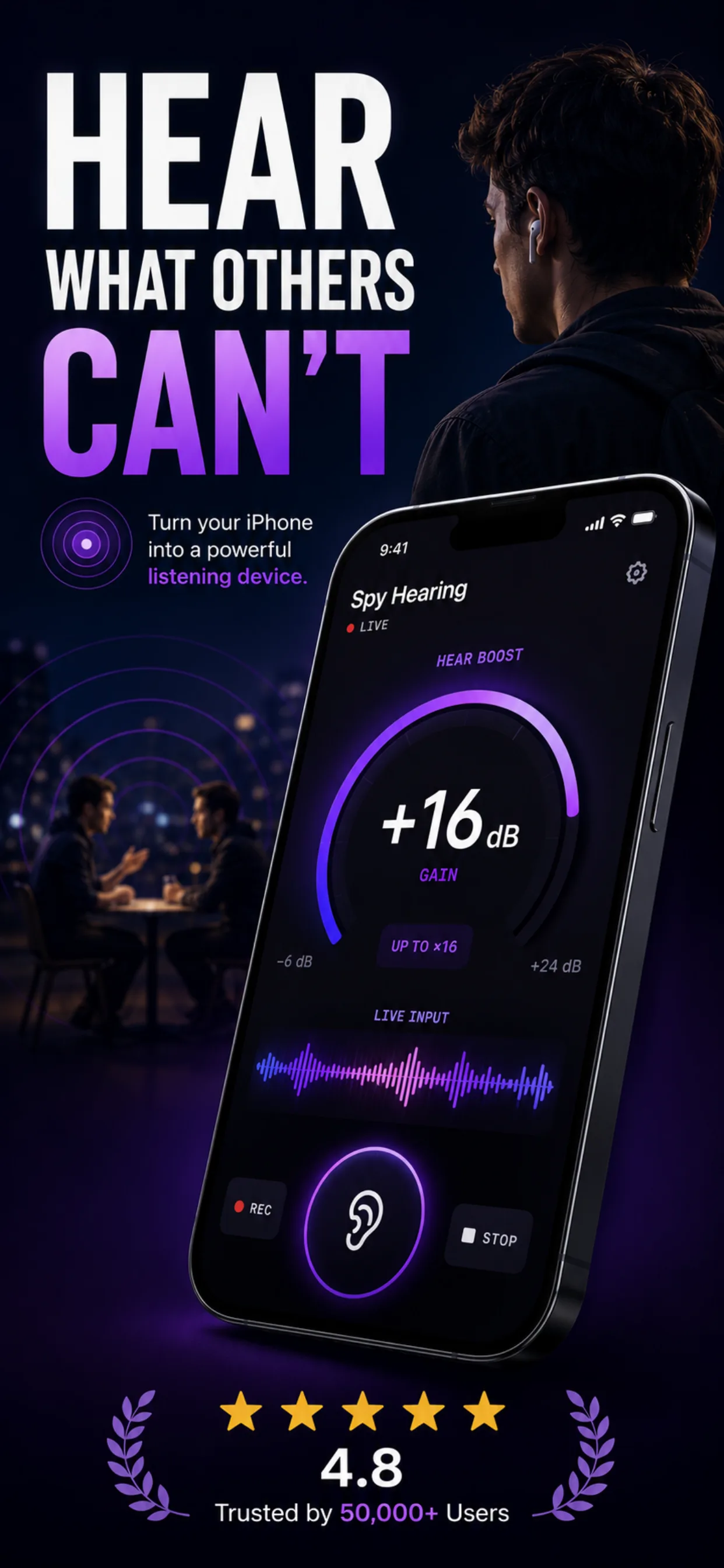
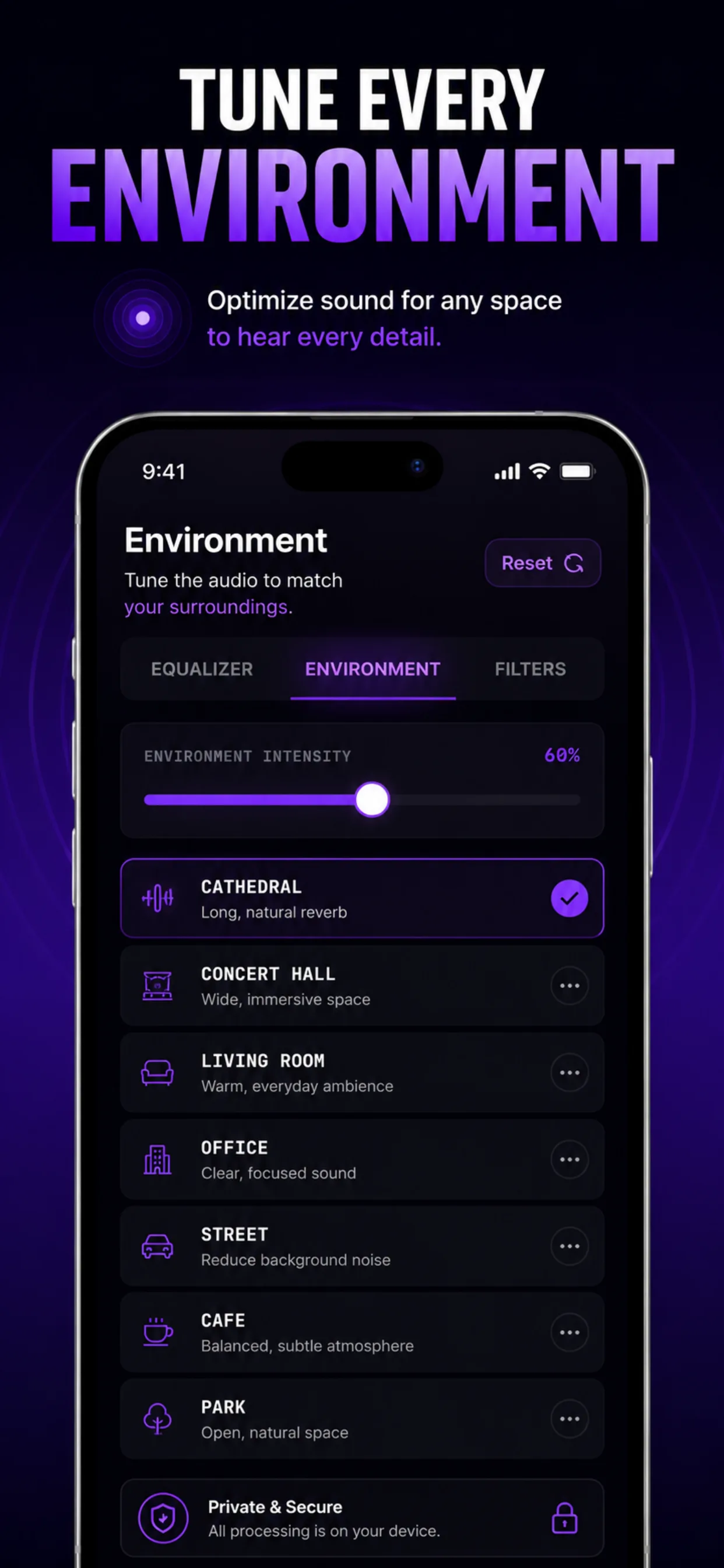
For these situational listening tasks, a purpose-built app is a better fit. Spy Hearing is what I built for exactly these use cases, with 16x amplification, 9 acoustic-space presets, an 8-band EQ, and support for any headphones your iPhone accepts (not just AirPods Pro 2/3).
What to do next
If you already own AirPods Pro 2 or Pro 3 and an iPhone on iOS 18.1 or later, take the hearing test tonight. It costs nothing, takes 5 minutes, and even if you don’t end up using Hearing Aid daily, the audiogram gives you a baseline to compare to later. Curious how your hearing tracks by age before you commit to a full audiogram? Our browser-based hearing age test runs in about 60 seconds and tells you the highest frequency you can hear.
If you’re shopping and hearing loss is the primary reason, and you want an all-day solution, an entry-level OTC aid or an audiologist visit is still the better spend. AirPods Pro Hearing Aid is best thought of as occasional-use amplification for the many situations a prescription aid isn’t practical.
And if you’re not sure whether your listening problem is age-related loss or just a hard-to-hear situation (a distant conversation, a quiet lecture from the back row, a soft-spoken meeting participant), the answer is different. Situational listening is what listening apps do better than any hearing device.
Related reading
- Best iPhone sound amplifier apps (tested and ranked)
- Live Listen: what it is, how it works, and its limits
- Live Listen not working? 12 fixes that actually work
- Hear from far away on iPhone: what actually works
Related tools
- Live Listen compatibility checker — pick your AirPods + iPhone, see which features work
- Hearing age test — 60-second browser test of your top-of-range hearing
- Decibel meter — measure your environment before deciding you need amplification
- Safe listening time calculator — how long a given noise level is safe
Sources
- Apple Support. Use hearing health features with AirPods Pro 2 or AirPods Pro 3.
- Apple. AirPods Pro 3 Hearing Health feature availability.
- U.S. Food & Drug Administration. FDA Authorizes First Over-the-Counter Hearing Aid Software (Sept 12, 2024).
- Hearing Tracker. Apple AirPods Pro 3 Review: Are They Any Good as Hearing Aids?.
Frequently asked questions
- Are AirPods Pro really an FDA-approved hearing aid?
- Yes. On September 12, 2024, the FDA authorized Apple's Hearing Aid Feature as the first over-the-counter hearing aid software. It's indicated for adults 18 and over with perceived mild to moderate hearing loss. AirPods Pro 2 and AirPods Pro 3 are the specific hardware it runs on.
- Which iPhones support the AirPods hearing aid feature?
- Any iPhone that runs iOS 18.1 or later. That covers iPhone SE (2nd gen) and every model from iPhone XS forward. iPhones older than the XS can't run iOS 18.1 and don't support the feature.
- Do I need a prescription or an audiologist visit?
- No. The Hearing Aid feature is over-the-counter. You take a 5-minute hearing test inside the iOS Settings app, and if your result is in the mild-to-moderate range, iOS enables amplification automatically. You can also import an existing audiogram from an audiologist if you already have one.
- How much does the AirPods hearing aid feature cost?
- Zero, if you already own AirPods Pro 2 or Pro 3 and an iPhone that runs iOS 18.1. Apple ships the feature as a free part of iOS. AirPods Pro 2 retails around $249; AirPods Pro 3 retails around $279 as of 2026.
- Do AirPods work as hearing aids for severe hearing loss?
- No. The FDA authorization is limited to mild-to-moderate perceived loss. If your hearing test result falls outside that range, iOS will tell you the Hearing Aid feature isn't appropriate for your hearing profile and won't turn on. For severe or profound loss, an in-person audiologist and prescription aid are the right path.
- Can I use AirPods hearing aid all day?
- You can, but AirPods Pro battery is rated at about 6 hours of continuous use, so you'll need to charge in the case throughout the day. Ear fatigue is also common after 4-6 hours of continuous in-ear wear. For all-day amplification, a purpose-built OTC or prescription aid designed for 16+ hour battery life is more practical.
- Is the AirPods hearing aid feature available in my country?
- Apple lists 180+ countries and territories on its official feature availability page. Notable gaps as of September 2026 include mainland France (though several French overseas territories are supported) and India (Hearing Test only, not the full Hearing Aid feature). Check Apple's availability page for your specific country.
- Do AirPods hearing aid features work with Live Listen?
- They're separate features. Live Listen uses the iPhone's microphone and streams it to your AirPods across a distance. The Hearing Aid feature uses the AirPods' own microphones and amplifies what's around you based on your hearing test. You can use Live Listen with or without the Hearing Aid feature turned on.