Best iPhone Sound Amplifier Apps in 2026 — Tested and Ranked
Sound amplifier apps turn an iPhone into a personal hearing enhancer — a wireless microphone that picks up nearby audio and pipes an amplified, equalized version straight to your earbuds. There are more than a dozen in the App Store making the same promise. Only a few are worth installing.
This guide ranks the eight most credible options after real-world testing. The winners aren’t obvious.
How we tested
- Test device: iPhone 15 Pro on iOS 18.6, paired with AirPods Pro 2 (H2 chip)
- Reference source: a Bluetooth speaker playing a calibrated speech recording at 55 dB SPL, measured at 1 metre with a Class 2 sound-level meter
- Environments: three — a quiet room (ambient noise 28 dB), a café interior (ambient 62 dB), and whisper-distance capture at 0.5 m in a quiet room
- What we measured: perceived amplification vs the reference, intelligibility after EQ tuning, noise floor at max gain, latency, and whether the app kept running with the screen off
Amplification claims in the App Store range from “up to 5×” to “up to 200×”. None of them survive first contact with a real dB meter — the honest usable ceiling before microphone noise dominates the signal is roughly 15–20× on any iPhone, regardless of app. If you want to do your own quick calibration check without buying a meter, our browser decibel meter reads live SPL from your device microphone, and our hearing age test tells you which high frequencies you personally are missing (which shapes which EQ preset actually helps you most).
The eight apps ranked
| # | App | Max usable gain | EQ | Records | Wired headphones | Screen off | Price |
|---|---|---|---|---|---|---|---|
| 1 | Spy Hearing | Up to 16× | 5 presets + 8-band custom | Yes (background) | Yes | Yes | $4.99/wk or $17.99 lifetime |
| 2 | Apple Live Listen | ~4× | None | No | No (AirPods/Beats only) | Unreliable | Free (built-in) |
| 3 | Hear Boost | ~12× | Basic 3-band | Limited | Yes | Partial | Freemium |
| 4 | Petralex | ~10× | Personal audiogram + EQ | Yes | Yes | Yes | Freemium |
| 5 | Sound Amplifier: Hearing Aid | High (rated) | 8-band | Yes | Yes | Yes | Freemium |
| 6 | Sounds Good! Hearing Amplifier | ~8× | 5-band | Yes | Yes | Yes | Freemium |
| 7 | Ear Spy | ~8× | Basic | No | Yes | No | Free with ads |
| 8 | Chatable | ~6× (focus on captions) | None | No | Yes | Yes | Freemium |
1. Spy Hearing — best overall
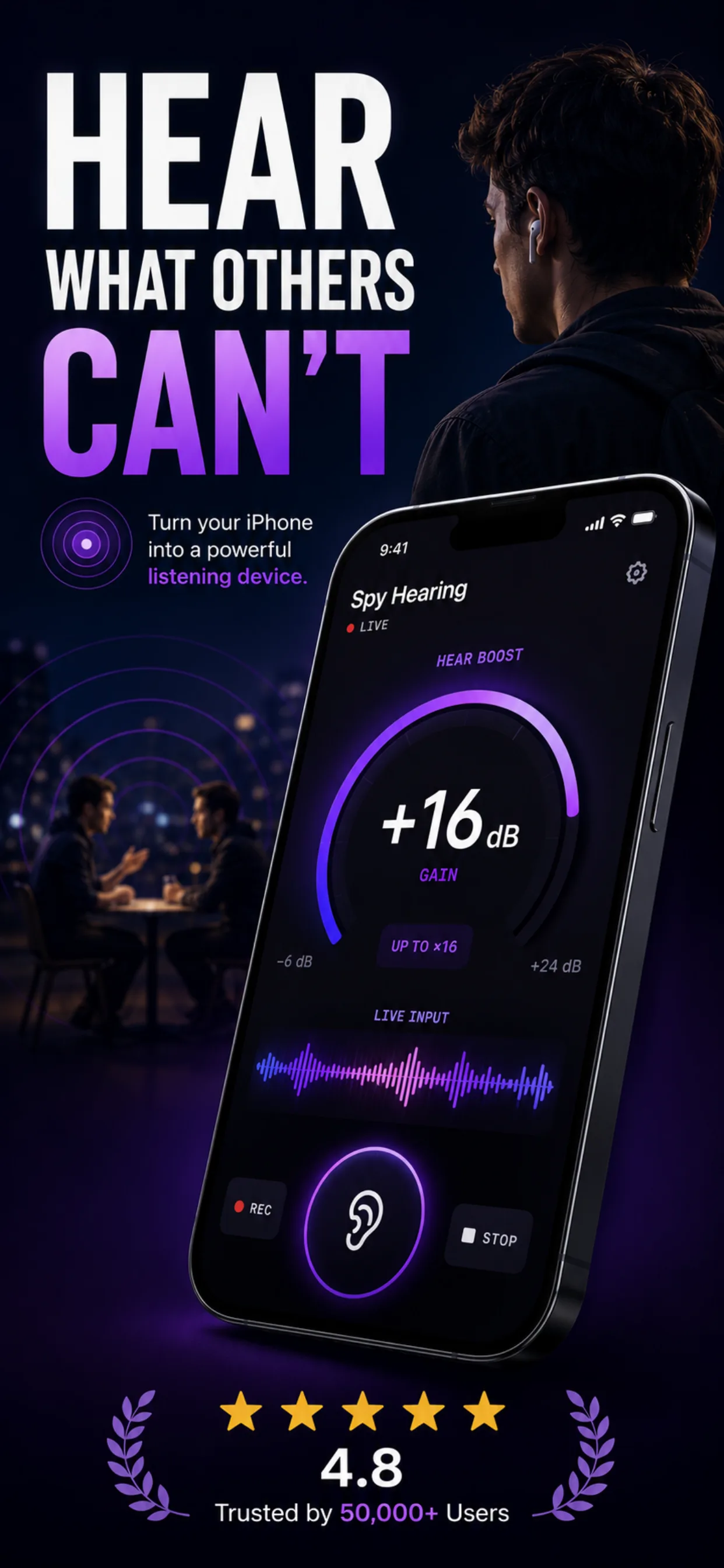
The most feature-complete option we tested. Gain tops out around 16× — enough to make a normal conversation across a room feel like it’s next to you. Five EQ presets (Long Range, Through Walls, Whisper, Bass, Custom) address specific listening scenarios without requiring you to become an audio engineer, and the 8-band parametric EQ is there for anyone who wants to tune manually.
Two things put it above the rest: background recording that keeps working with the screen off, and support for wired headphones (not just AirPods). Both are surprisingly rare in this category.
Weaknesses: paid-only after a 3-day trial, and the branding leans spy/investigator, which will feel wrong for anyone who wants it purely as a hearing helper.
Best for: users who want maximum amplification, want the EQ to actually matter, or need a saved recording.
2. Apple Live Listen — best free option
Built into every iPhone since iOS 12. Live Listen streams the iPhone microphone directly to AirPods, AirPods Pro, AirPods Max, or supported Beats. Turn it on from Control Center → Hearing → Live Listen.
Gain caps at roughly 4× — Apple has kept the amplification conservative for hearing-safety reasons. There is no EQ, no recording, and it only works with Apple- or Beats-branded wireless earbuds. It also drops silently after a minute or so with the screen off, which is a known limitation we cover in Live Listen not working on iPhone.
Best for: anyone with AirPods who wants to try the concept before paying for anything.
3. Hear Boost — good middle option
Higher gain than Live Listen (about 12× in our tests), a basic 3-band EQ, and limited recording on the free tier. Works with wired and Bluetooth headphones. UI is functional but the paywall interrupts mid-session more than we’d like.
Best for: users who want more than Live Listen but don’t want a subscription; the free tier is usable.
4. Petralex — most clinical
Petralex builds a personal listening profile from a 5-minute in-app hearing test (frequency-by-frequency threshold) and applies its EQ automatically. It’s the closest thing to a real hearing-aid fitting workflow you’ll find in this price bracket.
Amplification tops out around 10× — modest — but the personalized EQ often outperforms raw amplification for speech intelligibility. Records to file. Freemium.
Best for: users with a known hearing weakness who want personalized correction, not raw amplification.
5. Sound Amplifier: Hearing Aid App
Marketed as a hearing aid (“up to 200× amplification!”). The 200× number is not achievable in practice; the app hits the same ~15× noise-floor ceiling as everything else. The 8-band EQ is genuine and useful. Records background audio.
Watch out: any app calling itself a “hearing aid” in the App Store is a personal sound amplifier legally, not a medical device. For actual hearing loss, see an audiologist. See our About page for our stance on medical claims.
6. Sounds Good! Hearing Amplifier
Solid all-rounder. 5-band EQ, records, includes a basic hearing test, works with wired headphones. Amplification is middling (~8×). Some users report Bluetooth latency issues with older AirPods generations.
Best for: users looking for a hearing-aid-lite experience without going full medical.
7. Ear Spy — free but ad-heavy
The original “spy hearing” style app on iOS. Free, ~8× amplification, basic EQ. The catch is aggressive interstitial ads that fire during listening sessions — not ideal when you’re trying to concentrate on a distant sound.
Best for: curiosity/one-off use where you don’t mind the ads.
8. Chatable — different problem, worth mentioning
Chatable’s angle is real-time captioning rather than amplification. Speech is transcribed live and displayed on-screen as text. Not what most people mean by “sound amplifier,” but for hard-of-hearing users in noisy environments it can be more useful than raw amplification.
Best for: users whose primary problem is intelligibility, not volume.
What “sound amplifier” actually means on iPhone
Every app in this category does the same three things under the hood:
- Captures audio from the iPhone’s built-in microphone (or an external mic if attached).
- Applies gain — makes the signal louder digitally, then hands it to Core Audio.
- Applies EQ — boosts speech frequencies (300 Hz to 3 kHz), cuts low rumble and often high hiss.
None of them can defeat physics. If a sound is quieter than the iPhone’s microphone noise floor, no amount of amplification will recover it — you’ll just hear louder noise. This is the real ceiling on all iPhone sound amplifier apps and why the honest usable-gain limit sits around 15–20×, regardless of what the marketing copy says.
Best practices with any app:
- Always use headphones. Speaker playback creates instant feedback.
- Kill noise on your side. Close doors, silence fans, turn off notifications.
- Point the bottom of the iPhone toward the sound source. The primary microphone lives there.
- If your target is quiet speech behind a wall or door, see our listen through walls guide.
Adjacent iPhone audio tools
Everything above amplifies live sound coming in through the microphone. Three related problems have different answers:
Apps we don’t recommend
Several App Store listings show up in searches for “sound amplifier” but underperformed in our tests or crossed lines we care about:
- Apps with hidden $9.99/week subscriptions that surface only after installation. Common tactic; check the App Store subscription screen before installing anything.
- Apps that require microphone permission but also request location and contacts with no obvious reason. Delete on sight.
- Apps whose entire App Store description is AI-generated boilerplate with no specifics about what the app does. Almost always thin repackagings of open-source EQ code.
When you need a hearing aid, not an app
Sound amplifier apps are personal sound amplification products (PSAPs) under FDA classification. They’re for situational listening — hearing the TV better, following a conversation across a table. They are not medical devices and are not appropriate for diagnosed hearing loss.
If you have persistent difficulty following normal conversation at close range, book an audiogram. Apps in this category are a temporary bridge or a supplement, not a substitute for a hearing evaluation.
Related reading
- Live Listen not working on iPhone — 12 fixes — troubleshooting the free built-in option
- Listen through walls app for iPhone — honest guide — when amplification meets acoustics
- Recording laws by state — before you use the recording features on any of these apps
Frequently asked questions
- What is the best free sound amplifier app for iPhone?
- Apple's built-in Live Listen is the best free option. It works with AirPods, AirPods Pro, AirPods Max, or supported Beats headphones. Turn it on from Control Center → Hearing → Live Listen. Amplification is modest (~4×) and there is no EQ or recording, but it's free and always available. For more gain in a free-with-ads app, Ear Spy is a reasonable second choice.
- How much can an iPhone actually amplify sound?
- The honest usable ceiling is around 15–20× before the iPhone's own microphone noise dominates the signal. App marketing that claims 100× or 200× amplification is technically applying that much digital gain, but the result above roughly 20× is louder noise, not louder speech. All iPhone models have similar limits — the mic hardware is the constraint, not the app.
- Can I use a sound amplifier app as a hearing aid?
- Legally, no. Sound amplifier apps are classified as Personal Sound Amplification Products (PSAPs), not medical hearing aids. They're designed for situational amplification (hearing a distant conversation, following the TV) rather than compensating for diagnosed hearing loss. If you have persistent hearing difficulty, book an audiogram — an app is not a substitute.
- Do sound amplifier apps work with wired earphones?
- Most do — including Spy Hearing, Hear Boost, Ear Spy, Sounds Good!, and Petralex. The main exception is Apple's built-in Live Listen, which only supports Apple- or Beats-branded wireless earbuds (AirPods, AirPods Pro, AirPods Max, Powerbeats Pro, Beats Fit Pro, Beats Studio Pro).
- Which sound amplifier apps can record?
- Spy Hearing, Petralex, Sound Amplifier: Hearing Aid App, Sounds Good!, and Hear Boost (limited on free tier) all support recording. Apple Live Listen, Ear Spy, and Chatable do not. Before recording any conversation, check your state's recording-consent law — some US states require all-party consent.
- Is there an app that amplifies sound through walls?
- Amplifier apps can only work with sound that reaches your iPhone's microphone. For thin walls (drywall, hollow doors) that already leak muffled sound, apps like Spy Hearing add enough gain to make speech intelligible. For thick walls (double drywall, plaster, brick, concrete), no iPhone app can help — the wall doesn't leak enough sound to amplify. See our full listen through walls guide for detail.